A year ago, AI tools felt like something large companies were experimenting with. Today I talk to small business owners in Vancouver who use three or four of them every single day. The ones who are not are starting to feel the gap.
This is not about replacing staff. The businesses I know using AI well are not cutting headcount. They are getting more done with the same team, or doing solo what used to require multiple people. A one-person consulting firm producing the output of a three-person agency. A two-person brand running marketing campaigns that look like they came from a full team.
Here are the five AI tools I would recommend to any Canadian small business in 2026, broken down by what they actually do and what they cost in CAD.
Why AI Is No Longer Optional for Small Canadian Businesses
A year ago, AI tools felt like something large companies were experimenting with. Today, I talk to small business owners in Vancouver who use three or four AI tools every single day, and the ones who are not are starting to feel the gap.
This is not about replacing staff. The businesses I know using AI well are not cutting headcount. They are getting more done with the same team, or doing solo what used to require a team. A one-person consulting firm that produces the output of a three-person agency. A two-person retail brand running campaigns that look like they came from a full marketing department.
One practical note for Canadian business owners: Canadian privacy law (PIPEDA) applies to how you handle client and employee data in AI tools. For most everyday business tasks, this is not a barrier. But if you are processing sensitive client information, it is worth checking whether your AI tool of choice offers Canadian or at minimum North American data storage.
1. Writing and Content: ChatGPT Plus (~$27 CAD/month)
ChatGPT Plus is the most versatile AI tool on this list. I use it for emails, proposals, blog drafts, social captions, meeting agendas, and brainstorming. It handles long-form writing, summarization, research synthesis, and basic analysis. The free tier exists but the Plus subscription at approximately $27 CAD per month unlocks faster responses, better reasoning, and access to the latest model.
For a Canadian small business, the most immediate value is in writing. Think about how many emails you write in a week, how many proposals, how many product descriptions or social posts. ChatGPT Plus handles the first draft of all of it in seconds. You edit, you refine, you publish. The time savings compound fast.
The important caveat: do not feed it confidential client data. Use it for your own business writing, templates, and internal communications, and you will have no PIPEDA concerns.
Best for: Any business that writes things, which is every business.
See more below
2. Design and Visuals: Canva AI / Magic Studio (~$17 CAD/month)
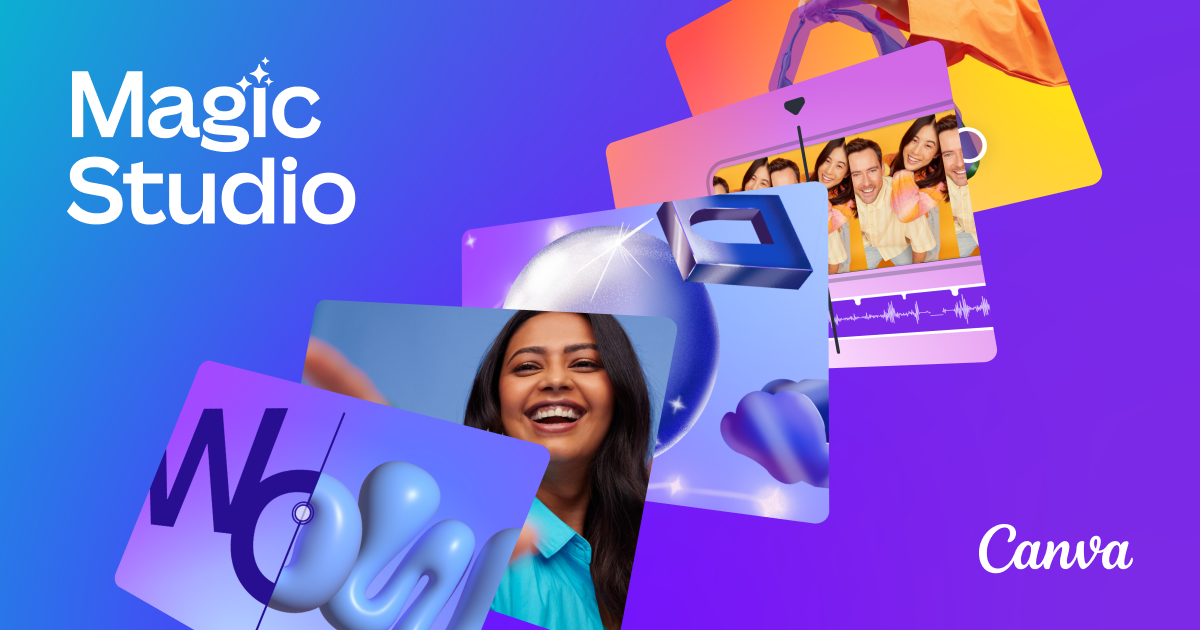
Canva Pro includes Magic Studio, a suite of AI design tools built into the platform. Magic Write generates copy for your designs. Magic Design creates full layout drafts from a text prompt. The background remover works in one click. AI image generation is included. And the brand kit feature keeps all your colours, fonts, and logos consistent across every asset you produce.
For a small business owner who is not a designer, Canva Pro is the single most accessible way to produce professional-looking marketing materials. Social graphics, presentations, menus, flyers, business cards, email headers. I know a food and beverage operator in Richmond who produces all of her Instagram content and seasonal menus in Canva, by herself, in about two hours a week.
At approximately $17 CAD per month, it is the lowest-cost tool on this list relative to the output it produces.
Best for: Marketing, social media, presentations, and any business creating regular visual content.
See more below
3. Meetings and Transcription: Otter.ai (Free to start)

Otter.ai automatically transcribes and summarizes your meetings. It integrates with Zoom, Google Meet, and Microsoft Teams. During a call, it captures everything said, identifies speakers, flags action items, and produces a written summary you can share or search later.
The free tier gives you 300 minutes of transcription per month, with a 30-minute limit per conversation. For most solo operators and small teams, that covers the majority of your client calls. The paid tiers remove those limits and add features like live meeting summaries pushed to Slack.
The practical value is significant. If you take client discovery calls, sales calls, or any meeting where follow-up action matters, Otter means you never have to choose between paying attention and taking notes. You do both, or rather, Otter does the second one for you.
Best for: Client-facing teams, consultants, or anyone who leaves meetings unsure who was responsible for what.
See more below
4. Project Management and Notes: Notion AI (~$20 USD/user/month)
Notion is an all-in-one workspace that replaces scattered Google Docs, spreadsheets, and sticky notes with a single connected system. Notion AI, included on the Business plan at approximately $20 USD per user per month billed annually, adds an AI layer on top. You can ask it to summarize a page, draft a section, extract key points from a meeting note, or query your own database in plain language.
For small teams managing multiple projects, clients, or SOPs, Notion is genuinely transformative. Instead of hunting through email threads for a client deliverable, everything lives in one searchable place and the AI can surface what you need.
The learning curve is real. Notion takes a week or two to set up properly. But for teams of two to ten people who are currently drowning in tabs, it is worth the investment.
Best for: Small teams managing projects, standard operating procedures, client notes, and business knowledge.
See more below
Notion: https://www.notion.com/
5. Workflow Automation: Zapier or Make.com (Free tiers available)
Zapier and Make connect your apps to each other without any code. When a new lead fills out your website form, Zapier can automatically add them to your CRM, send a welcome email, and create a task in your project management tool, all without you touching anything.
Zapier is easier to learn and connects to over 7,000 apps. It is the right starting point for most business owners. Make (formerly Integromat) is more visual, more powerful for complex workflows, and has a more generous free tier. I would start with Zapier for simple automations and graduate to Make if you need more sophisticated logic.
The test for whether you need this: if you are manually copying information from one app to another more than three times a week, you need Zapier or Make.
Best for: Any business doing repetitive copy-paste tasks between apps, or anyone who wants to automate lead capture, invoicing reminders, or notifications.
See more below
Comparison: AI Tools for Canadian Small Businesses
| Tool | Function | Approx. Cost (CAD) | Free Tier | Best For |
|---|---|---|---|---|
| ChatGPT Plus | Writing and thinking | ~$27/mo | Yes (limited) | Every business |
| Canva Pro | Design and visuals | ~$17/mo | Yes | Marketing and content |
| Otter.ai | Meeting transcription | Free to paid | Yes (300 min/mo) | Client-facing teams |
| Notion AI | Project management | ~$27/user/mo | Yes (limited) | Growing teams |
| Zapier | Workflow automation | Free to paid | Yes (limited tasks) | Repetitive workflows |
My AI Stack: What I Would Actually Use Today
Start with ChatGPT Plus and Canva Pro. That is roughly $44 CAD per month and covers about 80 percent of what most small businesses need from AI: writing and design. Add Otter.ai on the free tier for meetings. Add Zapier on the free tier to automate one or two high-friction tasks.
From there, add Notion AI when your team hits three or more people and you are starting to lose track of who owns what. Consider Make instead of Zapier once your automation needs get more complex.
Total cost for the full stack: roughly $44 to $90 CAD per month depending on tiers. The time savings for a typical small business owner will exceed that within the first week.
For a deeper look at how a small Canadian business can operate at a larger scale using AI and lean systems, the guide on starting a small business in Canada covers the operational foundations you want in place before layering in these tools.
Start with ChatGPT Plus and Canva Pro. That covers writing and design for about $44 CAD per month, which is less than one hour of contractor time. Add Otter for meetings, Zapier for automation, and Notion when your team grows. The compounding effect of these tools on your available time and output quality is real, and the barrier to starting has never been lower.